
Markdown & Formatting Cheatsheet
Every formatting feature this site understands — standard markdown, the iA Writer extensions, and the site's own blocks — with iA Writer keyboard shortcuts where they exist.
A reference for everything you can type into a post here. It covers plain markdown, the iA Writer extensions this site renders, and the two custom blocks. Keyboard shortcuts are for iA Writer on Mac — where a feature has one, it’s noted next to the syntax.
This whole page is written in the syntax it documents, so it doubles as a live example.
Keyboard shortcuts
The shortcuts below insert (or wrap the selection in) the matching markdown. On iA Writer they’re all in the main menu too.
| Action | Keys |
|---|---|
| Bold | ⌘ B |
| Italic | ⌘ I |
| Strikethrough | ⌥ ⌘ U |
| Highlight | ⇧ ⌘ U |
| Inline code | ⌘ J |
| Code block | ⇧ ⌘ J |
| Heading level 1–6 | ⌘ 1 – ⌘ 6 |
| Link | ⌘ K |
| Image | ⌥ ⌘ K |
| Wikilink | ⇧ ⌘ K |
| Footnote | ⌃ ⌘ K |
| Ordered list | ⇧ ⌘ L |
| Task list | ⌥ ⌘ L |
| Indent / Outdent | ⇥ / ⇧ ⇥ |
| Move line up / down | ⌥ ⌘ ↑ / ⌥ ⌘ ↓ |
Text formatting
| Result | Type this | Shortcut |
|---|---|---|
| Bold | **bold** |
⌘ B |
| Italic | *italic* |
⌘ I |
| Bold italic | ***both*** |
— |
~~struck~~ |
⌥ ⌘ U |
|
| Highlight | ==marked== |
⇧ ⌘ U |
Inline code |
`code` |
⌘ J |
Headings
Up to six levels. On this site, in-body headings get a small hanging # self-link on hover.
# Heading 1
## Heading 2
### Heading 3
⌘ 1 through ⌘ 6 insert the matching level.
Links & references
| What | Type this | Shortcut |
|---|---|---|
| Link | [text](https://example.com) |
⌘ K |
| Image |  |
⌥ ⌘ K |
| Wikilink | [[Post Title]] or [[file-slug]] |
⇧ ⌘ K |
| Footnote | text[^1] + [^1]: note |
⌃ ⌘ K |
Bare URLs auto-link — https://adilnussipov.com becomes a link on its own.
Wikilinks point to another post on this site by its title or file slug. Both forms resolve; an unmatched title renders as plain text and logs a build warning. Each target post automatically grows a “Referenced by” list of the posts that link to it.
Footnotes are reference-style — a marker in the text and the note anywhere below:
Coffee first, then the run.[^1]

[^1]: Ideally a pour-over, but drip is fine.
Lists
- Bullet
- Another bullet
  - Nested bullet

1. First
2. Second
3. Third
⇧ ⌘ L starts an ordered list; ⌥ ⌘ L starts a task list (- [ ] to do). Note: this site renders task-list lines as ordinary bullets — the [ ] / [x] checkboxes aren’t styled.
Quotes & pull quotes
A single > is a normal blockquote. A doubled >> is a large-type pull quote (no border, bigger text) — use it to lift one line out of the body.
> An ordinary blockquote, indented with a left rule.

>> A pull quote, set large and unbordered.
Code
Inline code uses backticks (⌘ J). A fenced block uses three backticks, with an optional language after the opening fence (⇧ ⌘ J):
```js
const greeting = "hello";
```
Custom blocks
Block types unique to this site, opened with :::name and closed with a bare :::. They only affect the content they wrap. (A third block, :::wide, is for photos — see the next section.)
Drop cap — enlarges the first letter of the paragraph:
:::dropcap
The opening letter of this paragraph becomes a large
capital in the serif face, and the first lines wrap
around it.
:::
Columns — :::cols-2 and :::cols-3 lay each block out across two or three equal columns, collapsing to one on narrow screens. Write the blocks in multiples of the column count for clean rows:
:::cols-2
Left column block.

Right column block.
:::
:::cols-3
First column block.

Second column block.

Third column block.
:::
Photos
A photo is a standard markdown image written with just the filename, no path — the site serves it responsive, lazy-loaded, and in modern AVIF format. Text in quotes after the filename becomes the caption, and clicking a photo opens it at full quality:

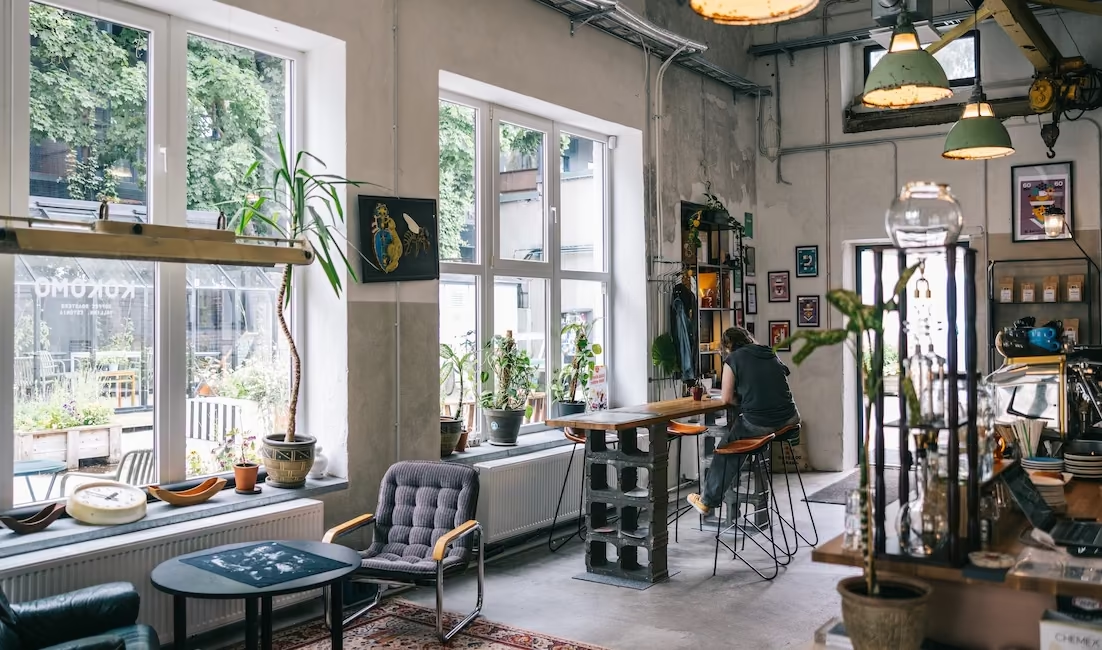
Wide — wrap photos in :::wide to let them stretch past the text column. One block can hold several photos, each with its own caption:
:::wide

:::
Pairs & grids — put photos inside the columns blocks from the previous section:
:::cols-2


:::
An image with a full path (/images/…) or an outside URL is left untouched — useful for the odd non-photo graphic. A bare filename the photo pipeline doesn’t know yet renders as a plain image and logs a build warning.
Tables
Pipe-delimited, with a divider row under the header. The colons in the divider set column alignment (left, center, right):
| Left | Center | Right |
|:-----|:------:|------:|
| a    | b      | c     |
Horizontal rule
Three or more dashes on their own line:
---
Table of contents
Put {{TOC}} on its own line and it’s replaced with a linked, auto-generated contents list built from the headings on the page (the one near the top of this post is exactly that).
Topics
A #hashtag links to a topic page at /topics/<tag>/ that lists every post using it — for example #running or #writing. Only #word preceded by a space is matched, so URL fragments and heading marks are left alone. One-character tags and tags starting with a digit are best avoided.
Smart typography
These convert automatically as you write — no shortcut needed:
| Type this | Becomes |
|---|---|
-- |
– (en dash) |
--- |
— (em dash) |
... |
… (ellipsis) |
"straight quotes" |
“curly quotes” |
'apostrophes' |
‘curly apostrophes’ |
Front matter
Every post opens with a YAML block between --- fences. title and date are required; the rest are optional:
---
title: "Your Title"
description: "One-line summary shown under the title."
date: 2026-07-07
grade: A          # optional: A, A-, B+, … — circled mark shown on hover
---
The grade gives the post a hand-drawn circled grade that springs in when you hover its title in a list. Posts without one still get the red wavy underline on hover.